
Most AI study tools sell things general AI already does
ChatGPT and Claude can explain a difficult idea, summarise a file, generate questions and create a flashcard deck. For those tasks, they are often the simplest choice. They may be cheaper and produce better results than a separate study app built around the same basic model capabilities.
Anki remains a strong choice when flashcard review is the main job. Figurespace is for learning through substantial material rather than producing one more output from it.
| What you need | Best fit |
|---|---|
| Explain one difficult idea | ChatGPT or Claude |
| Summarise or reorganise a document | ChatGPT or Claude |
| Generate a basic list of questions | ChatGPT or Claude |
| Create a one-off flashcard deck | ChatGPT or Claude, then Anki |
| Run a mature long-term flashcard system | Anki |
| Create targeted practice across chosen topics and formats | Figurespace |
| Be questioned and taught through one topic | Figurespace |
| Work through a problem instead of receiving the solution | Figurespace |
| Learn from several lectures, notes and problem sheets as one course | Figurespace |
| Continue across Sessions without rebuilding the context | Figurespace |
| Begin with a course that has already been prepared | A Guided Space in Figurespace |
A general model can generate ten questions in one response. Figurespace can create targeted practice for selected parts of a course, use different formats, and continue from how the learner answers. Those are different jobs.
When general AI is enoughHow Figurespace compares
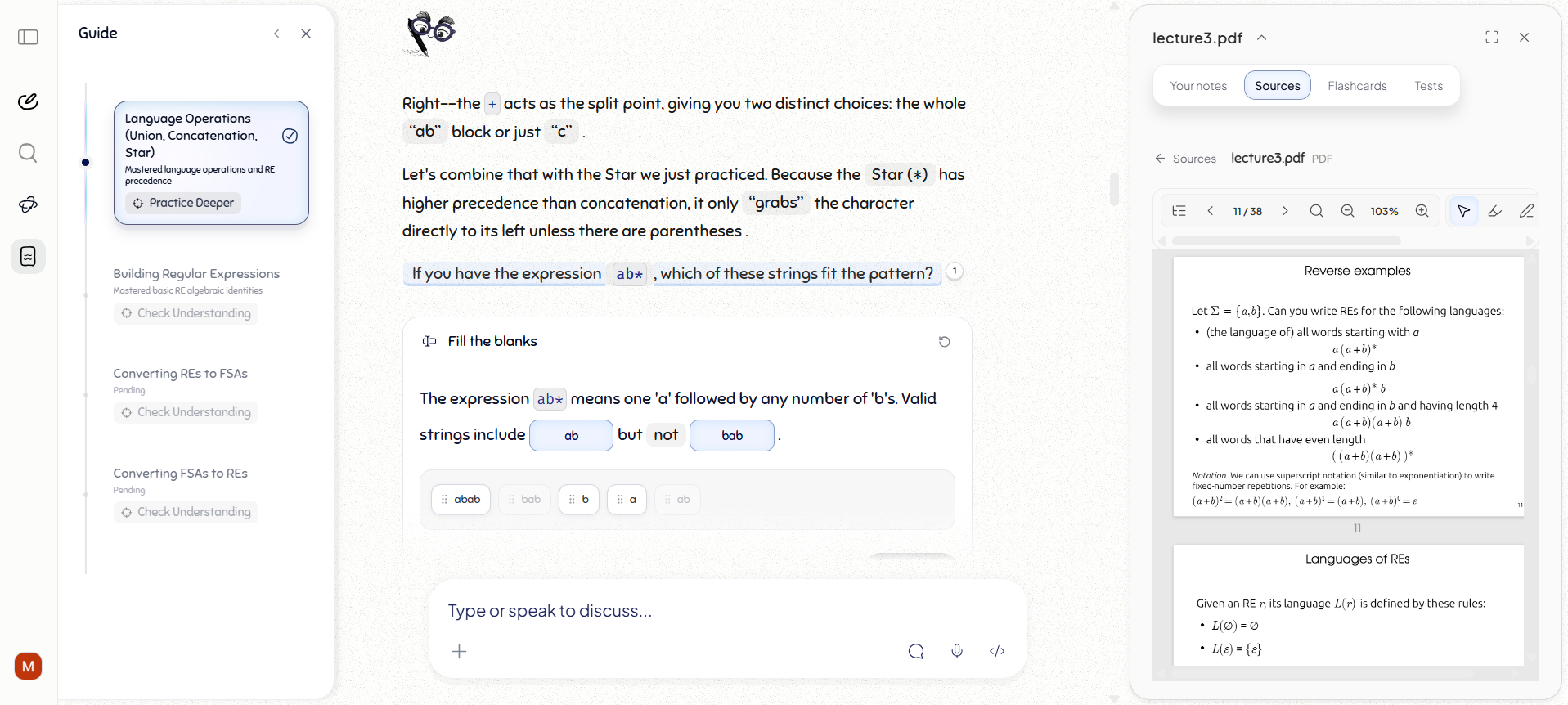
Many specialist AI study products follow the same pattern. You upload a file. The app generates notes, summaries, flashcards and quizzes. A chatbot sits beside those tools and answers questions about the material.
That can be convenient. It does not make the chatbot a tutor.
| Capability | General AI | Typical AI study tool | Figurespace |
|---|---|---|---|
| Explain and summarise material | Yes | Yes | Yes |
| Generate basic questions and flashcards | Yes | Yes | Yes |
| Create targeted practice across selected topics and formats | Manual prompting | Often preset | Built in |
| Default response to “teach me this” | Generates an explanation | Usually generates an explanation | Begins a Session |
| Keep the original source available during learning | Manual | Often secondary | Part of the workspace |
| Continue from the learner’s answer | Needs active prompting | Often shallow | Core behaviour |
| Work with a written or visual attempt | Manual image prompting | Usually no | Built in |
| Keep a whole subject organised across Sessions | Chat history | Separate chats and outputs | A continuing Space |
| Start from a prepared course environment | No | Generated resources | Guided Space |
| What remains afterward | Conversation | Conversation and outputs | The course and its work |
This compares common product patterns, not every feature or mode in every app. Products change. The distinction here is the product’s default unit of work: an output, a file, or an ongoing course.
General AI handles individual tasks. Most AI study tools package those tasks into a dedicated interface. Figurespace is built around teaching and learning across an entire course.
Generating an explanation is not teaching
A model can rewrite a whole topic into clear Markdown within seconds. Many products present that response as a lesson.
The product still does not know whether you followed the explanation. It has not seen you recall an idea, interpret a diagram, attempt a problem or explain a relationship. It only knows that it finished writing.
Figure does not treat a completed response as proof that teaching happened. A Session includes you. Figure can introduce part of the material, ask something useful and continue from what you actually do.
Why a long answer is not a lessonFigurespace teaches with the original material present
In many AI tools, an uploaded file becomes hidden context for generated answers. The model sees the source. You mainly see the response.
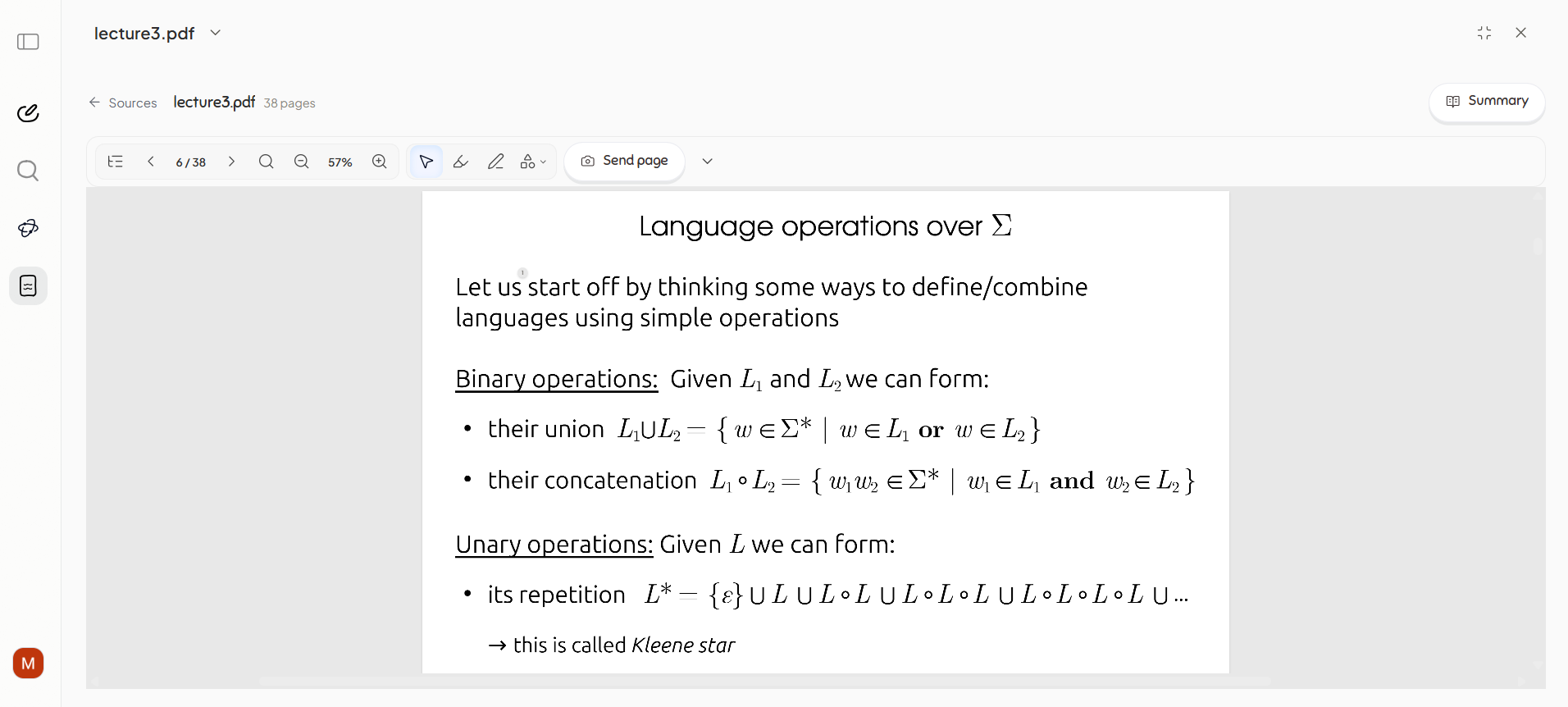
Figurespace keeps the material inside the learning workspace. You can open it full-screen, highlight it, annotate it, take notes and ask questions from the page you are reading.
This is more than adding a citation to generated text. You and the tutor work from the same material.
Figurespace generates better study material too
Basic generation is easy. Quality is harder.
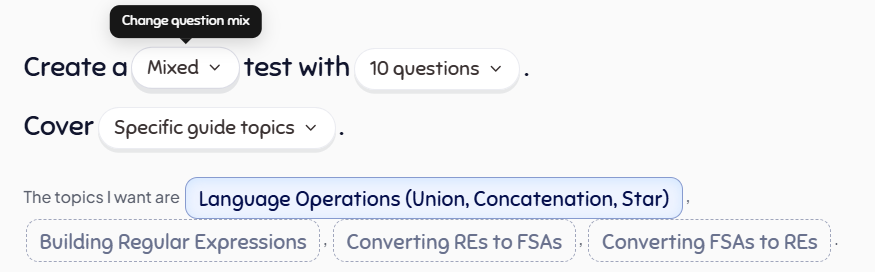
Figurespace uses high-quality AI models, then adds question and activity design shaped around teaching research, question quality and the role different forms of practice play during learning. Practice can target selected parts of a Guide or source. Tests can use different formats and focus on different kinds of understanding.
This matters even when you already know the exact topic you need to practise. The value is better practice that remains inside the course it belongs to.
A course needs somewhere to exist
A university module may include lecture slides, notes, recordings, specifications, textbooks and problem sheets. It may take weeks or months to learn. A chat is not a good place to hold all of that.
Space
An ongoing learning workspace for a subject, module, course or difficult topic. It keeps the material, Sessions and study work together.
Session
One period of learning inside a Space. You can return without reconstructing the subject inside a new chat.
Guided Space
A prepared course around a defined body of material. You begin with an organised learning environment rather than an empty chatbot.
A Session leaves more than chat history
Most AI interactions leave a transcript. Study generators may leave notes, quizzes or flashcards as separate outputs.
Figurespace keeps your work inside the course it belongs to. When you return, the materials, Sessions, Guide, tests, flashcards and progress remain available in the same Space.
The goal is not to generate the largest number of study resources. It is to preserve a useful course around what you are working through.